
If you no longer need Go3, you can cancel your subscription at any time. The cancellation process depends on the type of subscription you have. Alternatively, you can also pause or change your subscription to one that suits your needs better.
✅ If you have a non-contract (prepaid) Go3 subscription
You can cancel your subscription yourself by following the steps below.
- Log in to your Go3 account.
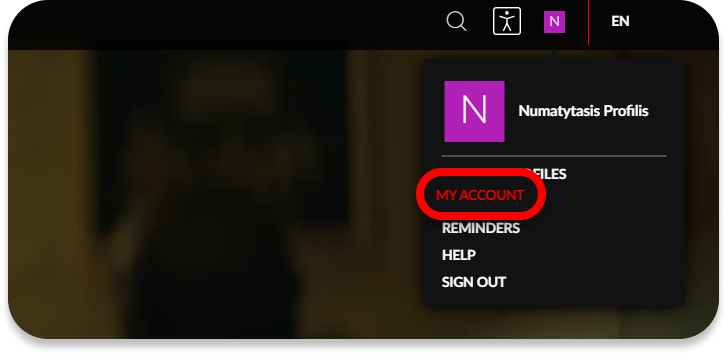
- Click on your profile, then My Account.
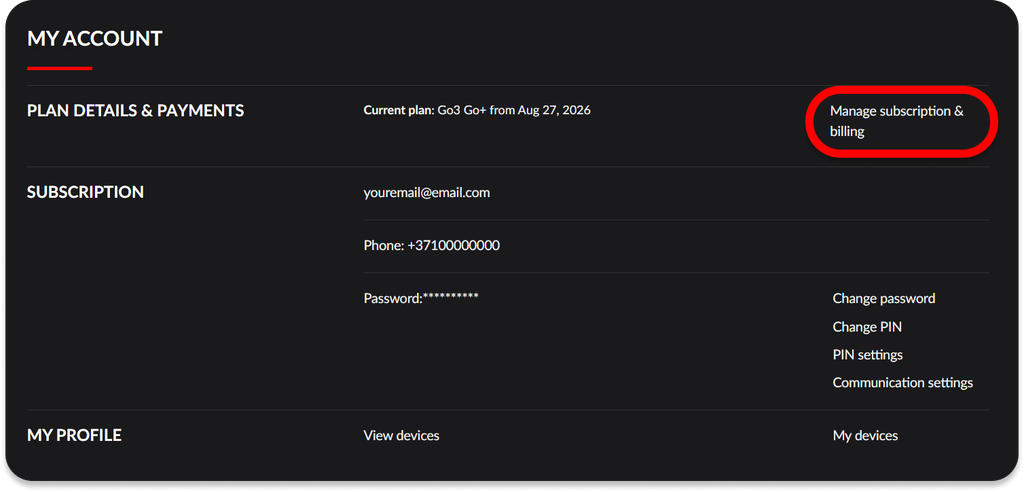
- Next to your currently active plan, click Manage subscription & billing.
- Select Cancel subscription.
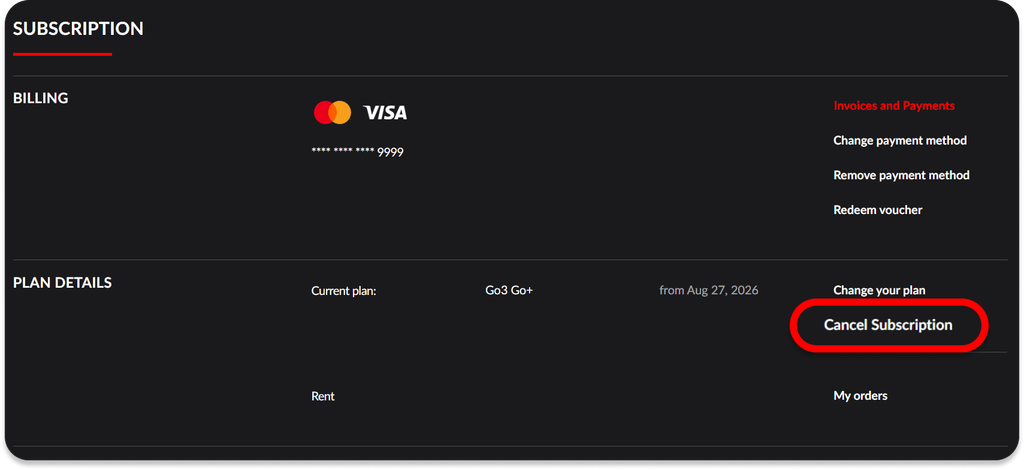
- Follow the on-screen instructions to confirm cancellation – click on Cancel subscription, and after completing a short feedback survey, click Finish cancellation – your subscription will no longer resume.
📄 If you have a contract/terminated (postpaid) subscription
If your subscription is part of a contract with Go3 or one of our partners, please contact the service provider directly.
- If you have purchased directly Go3
- If you have purchased from Home3
- If you have purchased from Bitė
- If you have purchased from Tele2
⚠️ Early contract termination may be subject to additional fees.
🔁 How do I know my subscription has been cancelled?
In Plan Information, you will see:
- The date until which your subscription remains active.
- No further renewals scheduled after that date.
Once the validity period ends, you will no longer have access to Go3 content.
💤 Pause your subscription instead
Not using Go3 right now? Instead of cancelling, you can pause your subscription for up to 3 months.
During the pause:
- No subscription payments will be charged.
- Your profile and settings will be kept.
- Your viewing history will remain saved.
- The subscription will automatically resume when the pause period ends.
How to pause your subscription
- Log in to your Go3 account.
- Click on your profile, then My Account.
- Select Manage subscription and payments.
- Click Cancel subscription.
- Choose Pause subscription.
- Select a pause period of 1, 2, or 3 months and confirm.